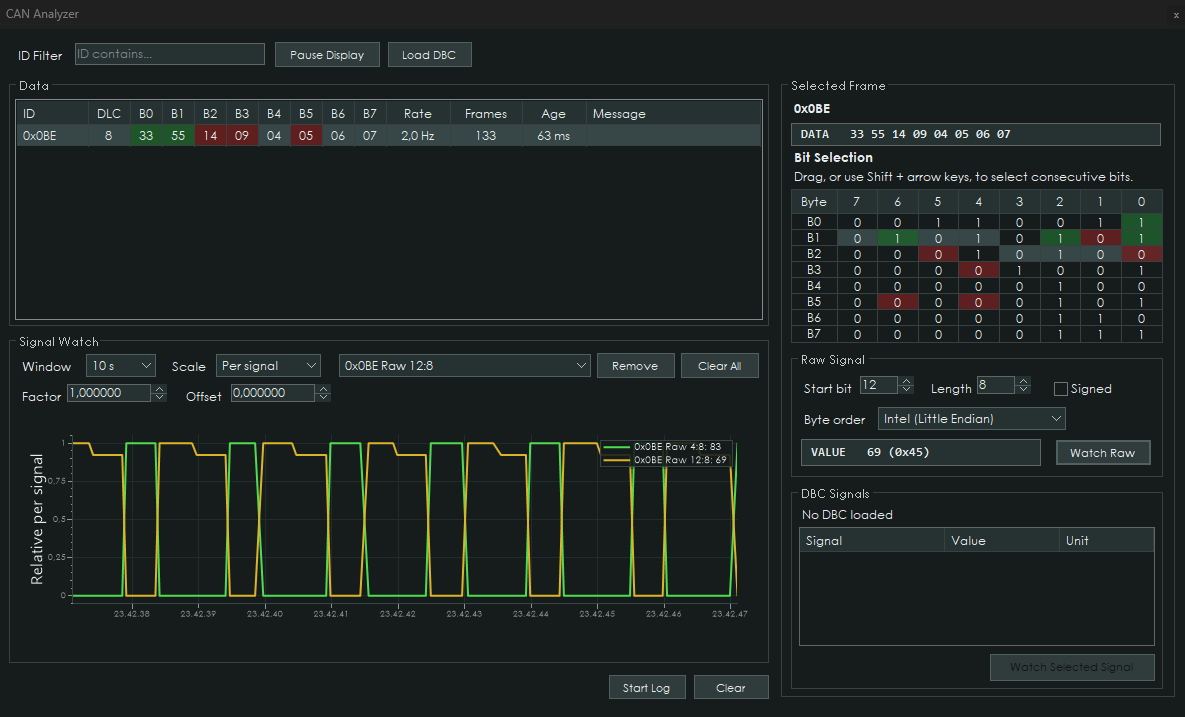
The CAN Analyzer provides a live view of CAN-bus traffic and can be used for investigating CAN messages, configuring CAN Inputs and identifying signals.
It also supports DBC files, signal graphing and CAN logging for further analysis.
¶ Features
- Shows all received CAN3 traffic
- Highlights changing data bytes
- Supports loading DBC files
- Decodes known CAN messages and signals from the loaded DBC
- Selected signals can be added to the live graph
- CAN data can be logged to a universal
.csvfile - CANTCU continues operating normally while the analyzer is open
¶ Usage
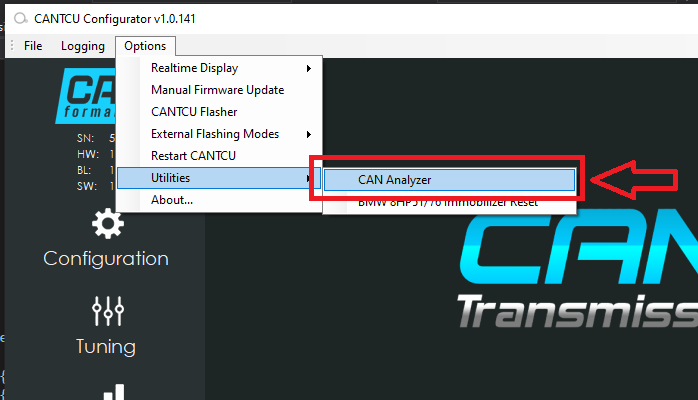
Start the CAN Analyzer from Options → Utilities. CANTCU needs to be connected in order to use the CAN Analyzer.
All received CAN3 traffic is shown and continuously updated while the CAN Analyzer is open.
The analyzer temporarily opens CAN3 reception to all traffic. This does not bypass the normal filtering used by the active CANTCU integrations, so the configured ECU, shifter and other CAN functions continue operating normally.
When the CAN Analyzer is closed, the normal CAN3 hardware filters are restored automatically.
¶ Data changes
Changes in received data are highlighted to make activity such as button presses easier to identify.
- If a byte value increases, the data cell turns green
- If a byte value decreases, the data cell turns red
- New CAN IDs appear with an orange background
The highlight automatically fades if the value stops changing.
¶ DBC files
A DBC file can be loaded into the CAN Analyzer to decode known CAN messages and signals.
When a received CAN ID exists in the loaded DBC, its description and decoded signals are shown together with the raw CAN data.
Selecting a decoded signal allows it to be added to the live graph for easier analysis of changing values.
¶ Graph
Selected CAN or DBC signals can be displayed in the live graph.
Each watched signal has an adjustable Factor and Offset:
Displayed value = Raw value × Factor + Offset
This can be used to convert raw CAN values into meaningful units without modifying the original CAN data. DBC signals automatically use the Factor and Offset defined in the loaded DBC, while manually selected raw signals default to a Factor of 1 and Offset of 0.
This is useful when analysing values that are difficult to follow directly from the raw CAN data, such as sensor values, switches, counters or calculated signals.
¶ Logging
To start a log, click Start Log. A file save dialog will open. Select a filename and confirm to begin logging.
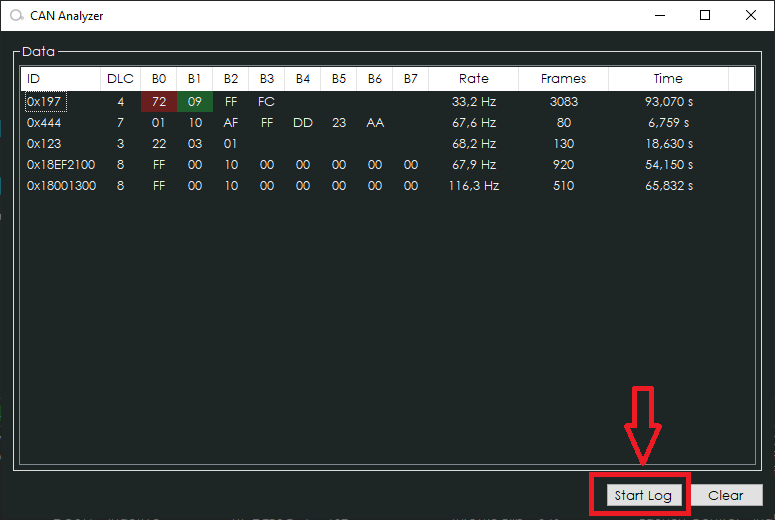
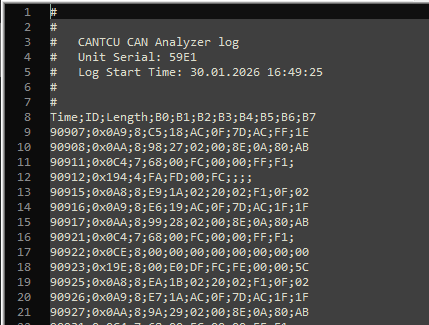
Click Stop Log to finish the recording. The saved .csv file is immediately available and can be opened in spreadsheet software, text editors or other CAN-analysis tools.
Example of a saved log opened in Notepad++: