Initial support in v1.0.133
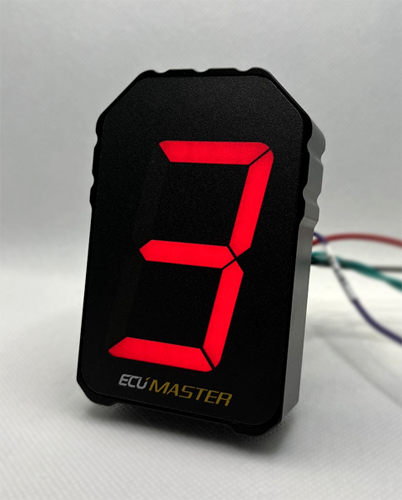
¶ Features
- Displays gears R-N-1-2-3-4-5-6-7-8 (P not shown)
- Shiftlights (Adjustable RPM)
- Shiftlights as Drive Mode indicators
¶ Connection
CANTCU CAN1/2/3, selectable CAN speed
¶ Configuration
General configuration is done through ECUMaster Light Client. CAN addressing for both Gear and Shiftlights can be changed in CANTCU Configurator if needed.
¶ Default Settings
- CAN Speed 1MBps
- RPM CAN ID 0x600
- Gear CAN ID 0x604
¶ Drive Mode Shiftlights
This indicator has three shiftlight LEDs which can be adjusted to turn on at certain RPM through the ECUMaster Light Client software. In CANTCU, it's possible to enable use of the shiftlights to show current transmission Drive Mode instead by checking the checkbox Shiftlight Modes.
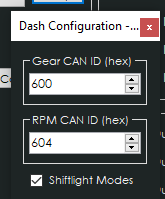
The table below shows how to configure the RPMs in ECUMaster Light Client software for all the supported transmissions.
¶ Shiftlight Configuration
| Function | 8HP | F-DCT | E-DCT | Number of LEDs | Activation RPM |
|---|---|---|---|---|---|
| Drive Mode indication | ECO Pro | DL 0 | DL 0 | 0 | 4000 |
| Drive Mode indication | Comfort | DL 1 | DL 1 | 1 | 5000 |
| Drive Mode indication | Sport | DL 2 | DL 3 | 2 | 6000 |
| Drive Mode indication | Sport+ | DL 3 | DL 5 | 3 | 7000 |
| Overtemp (>110c) & Limp Mode indication | - | - | - | All Flashing | 9000 |