¶ 1. Connect CANTCU
Connect CANTCU to the PC and open CANTCU Configurator.
Leave the transmission disconnected initially.
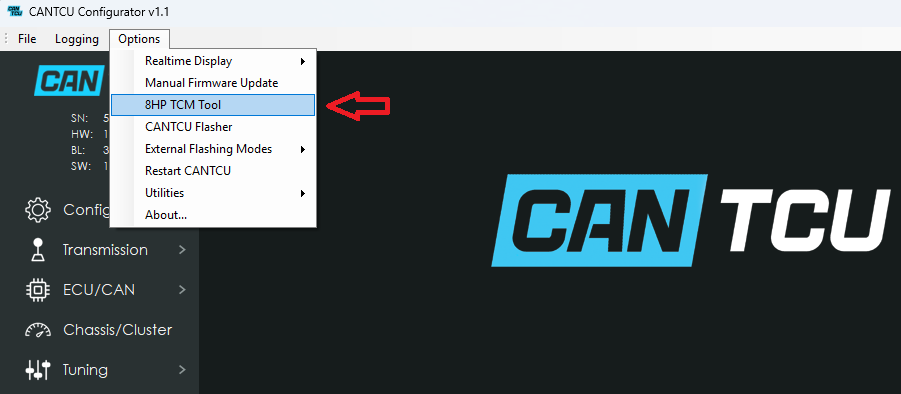
Open:
Options → 8HP TCM Tool
¶ 2. Connect the transmission
Follow the on-screen instructions and connect the transmission when requested.
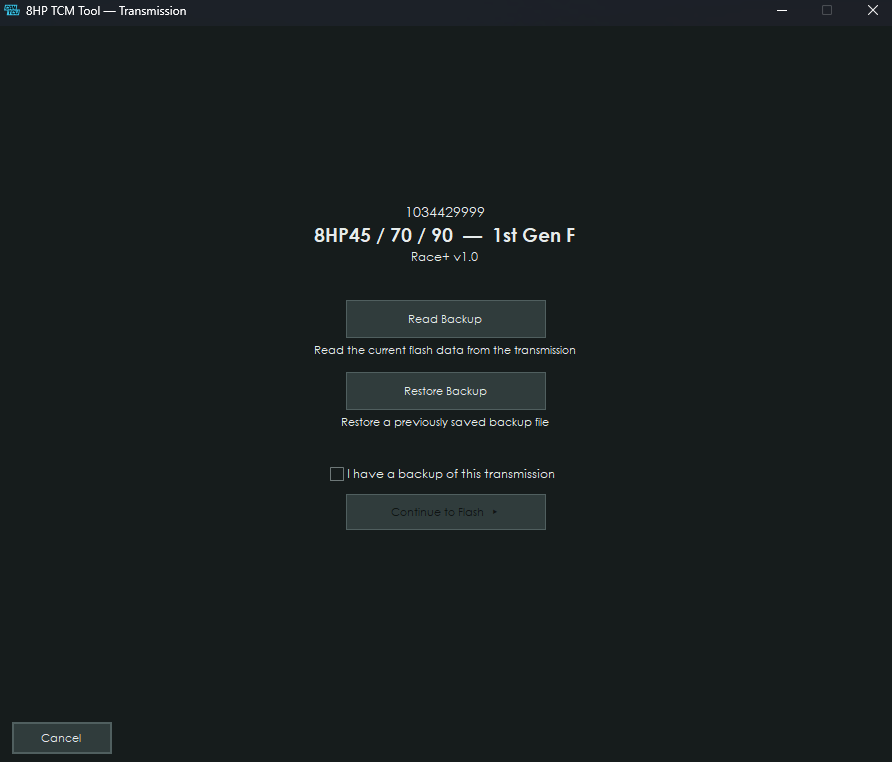
The TCM Tool will automatically identify the TCM and its current software.
¶ 3. Create a backup
If the transmission contains stock software, create a backup before continuing.
Select Read Backup and save the .ctbak file somewhere safe.
NOTE: A backup is strongly recommended before modifying the transmission.
¶ 4. Select software
Continue to the software selection screen.
Select the required:
- Software version
- Transmission model
- Fuel type
- Available software options
Only compatible options are shown.
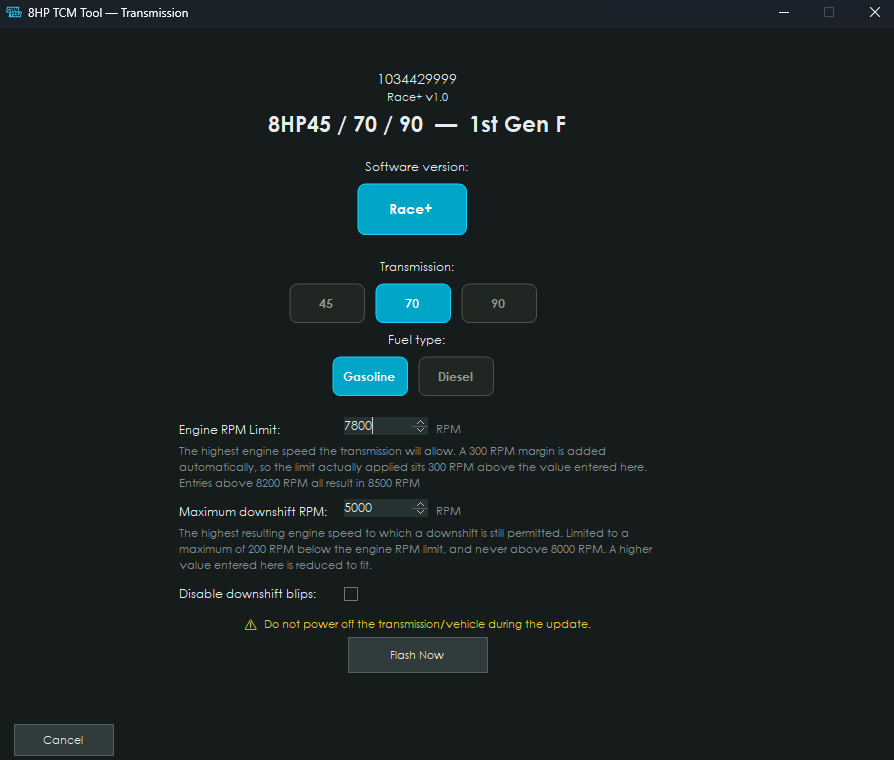
Take note of the RPM limits you input, as you will need to input the same RPM limits in the CANTCU Configurator.
¶ 5. Program the transmission
Start the programming process and follow the on-screen instructions.
Do not disconnect power, CANTCU or the PC while programming is in progress.
¶ 6. Final setup
After programming, the TCM Tool will ask you to disconnect and reconnect the transmission.
Follow the instructions exactly.
The required final setup and coding is then completed automatically.
¶ 7. Complete
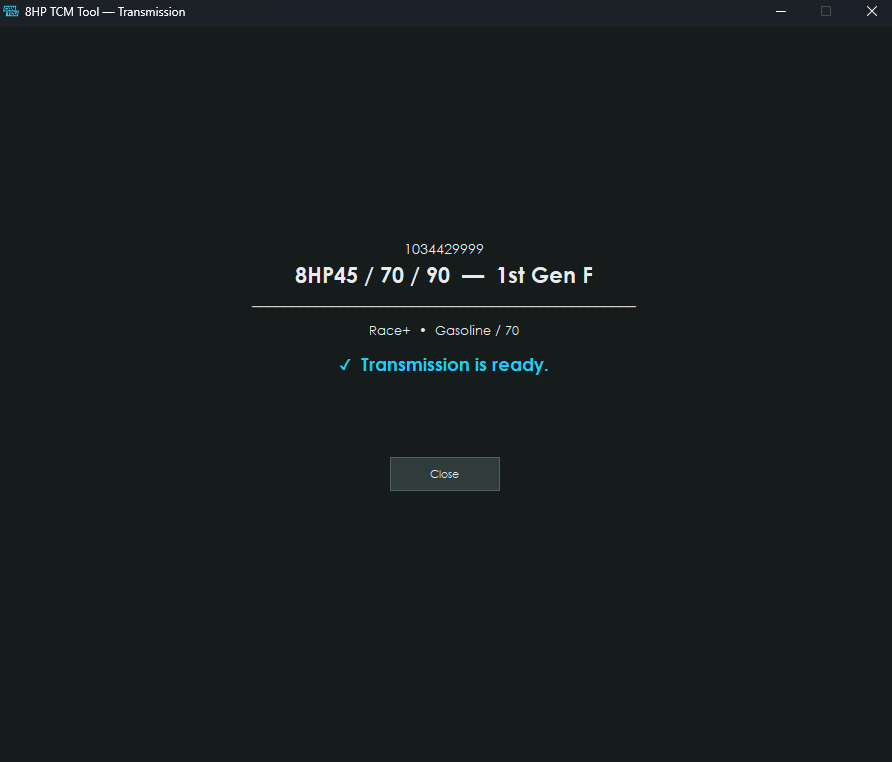
Once the TCM Tool reports that the process is complete, the transmission can be disconnected from the bench setup.
For backup restoration, see Backup & Restore.